
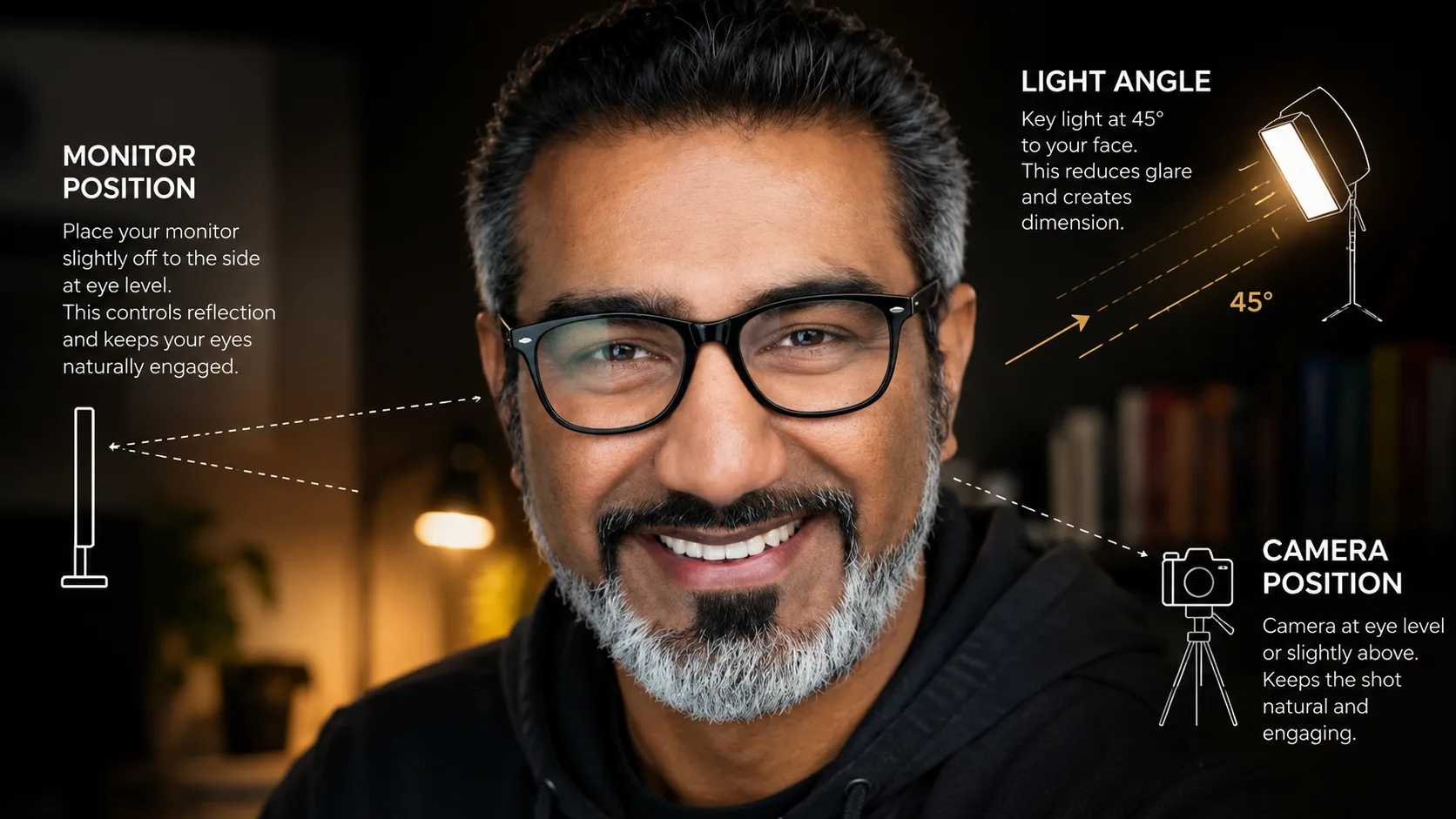
I was on a call with LeAnn Lyon: podcaster, glasses wearer, already doing a few things right.
She knew the frame tilt trick. Tilt the top of your frames slightly away from your face, just a few degrees, and you angle the lenses downward. Instead of reflecting your lights or your monitor, they reflect your chest or the floor, neither of which shows up as a hot spot. Smart. That one takes real awareness to figure out.
But there was something she hadn't connected yet.
Your glasses are a mirror
That's the actual problem. Lenses are curved, polished glass. Anything bright in front of you, your monitor, a window, a key light aimed straight at your face, will bounce off that glass and show up on camera as a reflection, a hot spot, or full-on glare.
The brighter the source, the worse it looks.
This is not a glasses problem. It's a light management problem. Every reflection you see in someone's lenses is light coming from a specific direction, from a specific source. Find the source. Manage the source. The problem goes away.
The fix LeAnn hadn't thought about
During our call, I switched my monitor from dark mode to light mode.
She saw it immediately. The glare flared up in my glasses: obvious, unmistakable. I switched back to dark mode. Gone.
That was it. That was the moment.
A bright white monitor screen is the most common hidden culprit for glasses glare in home studio setups. Most people never catch it because they're not looking at their own monitor. They're looking at the camera. But the camera sees it clearly. A white browser tab, a light-themed IDE, a Google Doc: all of it bouncing right off your lenses.
Dark mode eliminates it entirely. One setting. No gear required.
The frame angle trick (the one LeAnn already knew)
If you haven't tried this: tilt the top of your frames slightly away from your face. Just a few degrees. You're changing the angle of the lens, and with it, what the lens reflects.
Aimed straight at the camera, your lenses pick up whatever is directly in front of you. Angled slightly down, they pick up the floor. The floor is not a lighting concern.
It feels weird at first. You get used to it fast. And it works.
Light positioning matters more than you think
If you're running a ring light aimed directly at your face, you're going to have glasses glare. It's not a question of if. It's just a question of how bad.
Ring lights already cause problems for non-glasses wearers (the circular reflection in the eye looks strange on camera). For glasses wearers, they're worse. A front-on light source hits the full face of the lens.
Move your key light to a 45-degree angle. That's where it should be anyway. From the side, it catches less of the lens surface and creates more natural-looking shadows. This is another reason panel lights, soft boxes, LED panels, are better for home studios than ring lights. They give you positioning flexibility.
The window problem
If there's a bright window behind your camera, meaning in front of you while you're recording, it acts like a giant reflector pointed at your face.
Close the blinds. Use blackout curtains if you're recording during the day and wearing glasses. Natural light is great when it's coming from the side. From the front, it's just a very large light source aimed at your lenses.
Anti-reflective coating
If you wear glasses full-time and record video regularly, AR coating is worth the investment.
It won't solve everything, especially if your monitor is blasting white light directly at your face. But it dramatically reduces glare from front-on sources. If you're already due for new lenses, ask for it. It makes a real difference on camera.
The short version
Check your monitor first. Switch to dark mode. If the glare disappears, you found your culprit.
Then angle your key light to 45 degrees. Tilt your frames slightly. Close the blinds if there's a window in front of you.
Glasses glare is almost always a few small adjustments away from being solved. The hard part is knowing what to look for, and knowing that your monitor, not your glasses, is usually the first place to start.
I do home studio consulting for podcasters and video creators: lighting, camera placement, audio, the whole setup. If your recording space isn't working the way you want it to, I can help you figure out why.