
I was on a call with LeAnn Lyon last week. She's a podcaster, recording from a bedroom she and her husband are in the middle of renovating. Two ring lights. Face fully lit. The image was bright.
But something felt off.
Not dramatically wrong. Just slightly unsettled. Like the camera couldn't make up its mind.
That feeling has a name. It's called hunting. And once you know what causes it, you'll see it everywhere.
What color temperature actually is
Light has color. Not in the obvious sense. We're not talking about a red light or a blue light. We're talking about the warmth or coolness of what looks like regular white light.
It's measured in Kelvin. The lower the number, the warmer (more yellow) the light. The higher the number, the cooler (more blue-white) the light.
A household incandescent bulb sits around 2700–3000K. That warm, cozy living room glow. Daylight, a bright overcast sky, is around 5500–6000K. Most video-optimized LED lights are built around that range. It's what camera sensors are tuned for.
The number tells you the color of the light. That's it. That's all color temperature is.
Why mixing temperatures breaks your image
Your camera has to pick one white balance. That's the rule. It looks at the scene and makes a call: this is what white looks like in this light, and everything else gets adjusted relative to that.
If all your lights agree, if they're all running at 5600K, say, the camera makes the call once and stays there. Locked in. Stable.
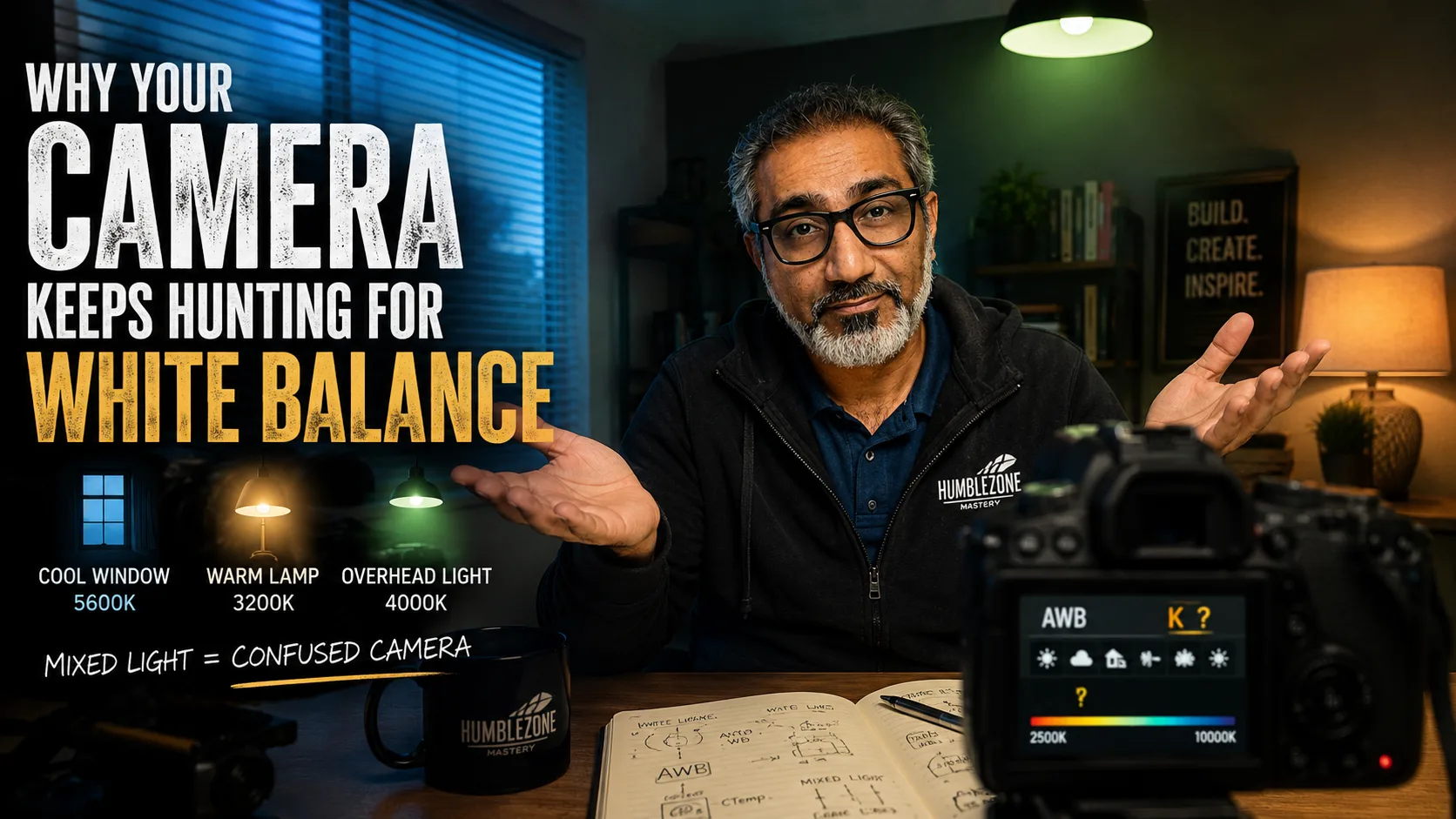
But if you've got one light at 3000K and two at 5600K, the camera doesn't know what to commit to. It keeps sampling. It shifts. It adjusts. You get color inconsistency: one side of your face looks warmer than the other, or the image pulses almost imperceptibly between warm and neutral.
This is what people can't quite name when they say someone's video "looks a little off." They're right. They just don't have the word for it.
What was happening with LeAnn
LeAnn had two ring lights. They were the right color temperature: daylight white, good choice. But there was a third light source she hadn't counted as a light source.
An IKEA lamp. Her daughter had moved out, and LeAnn had kept it. Sentimental. It lived in the corner of the room and it looked fine to the eye.
To her camera, it was introducing a warm light source pulling on one side of her image. Her camera was constantly trying to reconcile the cooler ring lights with the warmer lamp. It never settled.
The moment I explained it, she saw it. "It's the lamp," she said. Not the ring lights. The lamp she'd kept because her daughter left it behind.
That's usually how it goes. The culprit is the thing you didn't think of as equipment.
The other version of this problem: windows
The IKEA lamp is one version. Windows are the other, and this one catches almost everyone recording at home.
Natural daylight coming through a window is around 5500K. Beautiful light. Your ring light is also around 5500K. Sounds like they'd agree. Sometimes they do.
But a window isn't a stable light source. The sun moves. Clouds pass. What was neutral daylight at 10am is golden and warm by 4pm. And that desk lamp on the other side of the room has been 2700K all day.
You have two light sources at war with each other, and one of them changes every twenty minutes.
The fix: pick one and commit. Block the window with a blackout curtain and control everything with your artificial lights. Or embrace the window and turn off anything that doesn't match it, and only record when the light is consistent. Either approach works. Fighting both at once doesn't.
How to actually fix it
First: check the Kelvin value on every light in your setup. It's on the box, in the spec sheet, or on the dial if your light has one. Get them all to the same number. Daylight white, 5500 to 5600K, is the safest default for most video setups. It's what the pros use, and it's what your camera expects.
Second: once your lights are matched, set your camera to a fixed white balance. Not auto.
Auto white balance sounds helpful. The camera adjusts to whatever's in the scene. But it keeps adjusting, and if anything changes, your monitor brightness, a door opening, someone walking through a lit hallway in the background, the camera will shift. Mid-sentence. Mid-video.
Manual white balance means you set it once, it stays there, and your image is consistent from the first second to the last.
Your lights don't have to be expensive. They have to agree with each other. That's the whole thing.
The practical checklist
- Check the Kelvin value on every light in your setup
- Set them all to the same number: 5500–5600K if you're unsure
- Eliminate any light source you can't control (lamps, windows) or match them
- Set your camera to manual white balance
- Record a test clip and watch it back before your guest joins
If your image still feels slightly off after doing all of this, look for the source you forgot. There's almost always one.
Lighting is one of those things that takes five minutes to fix and years to notice on your own. If you're setting up a home recording space and want a second set of eyes on the whole setup, camera angle, lighting, audio, background, I do studio consultations. One call, and most people walk away knowing exactly what to change. You can find more about that at superjunaid.com.